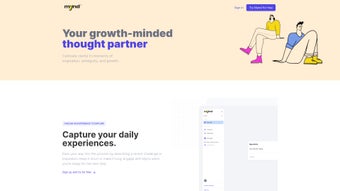

Download Mynd – AI Writing Assistant, Free & Secure Tool for Web
Overview
Mynd is a full‑version web‑based AI writing assistant that promises to boost productivity for students, marketers, and anyone who creates written content on a daily basis. Launched on Softonic on July 31st 2024, Mynd runs entirely inside a browser, which means there’s no need for bulky installations or constant updates. The platform leverages state‑of‑the‑art natural language processing models to generate, edit, and optimize text in real time.
Whether you need a blog post outline, a persuasive sales email, or a polished academic essay, Mynd offers a suite of tools designed to reduce writer’s block and improve the quality of your work. Because it is a web application, Mynd works across all major browsers—including Internet Explorer, Firefox, Opera, Safari, and Chrome—making it an ideal choice for users who switch between devices or operating systems. The interface is clean, with a dark‑mode option that reduces eye strain during long writing sessions.
While the product is still new to many reviewers, early user feedback highlights its speed, intuitive UI, and the fact that it can be accessed for free without compromising on security. Mynd also respects user privacy, storing data only for the duration of a session and offering optional end‑to‑end encryption for particularly sensitive documents. Overall, Mynd positions itself as a versatile, secure, and accessible AI writing companion that can be downloaded—or more accurately, accessed—instantly from any internet‑connected device.
Key Features
- Real‑time Content Generation: Generate paragraphs, headlines, or entire articles with a single click, guided by customizable tone and style settings.
- Smart Editing Suite: Grammar correction, plagiarism detection, and readability scoring are built‑in, ensuring that every piece meets professional standards.
- Template Library: Access over 150 pre‑made templates for emails, social media posts, SEO‑friendly blog outlines, and academic citations.
- Multi‑language Support: Write in English, Spanish, French, German, and Mandarin with accurate translation and localization tools.
- Collaboration Mode: Share a live editing link with teammates, allowing simultaneous contributions and instant feedback.
- Browser Compatibility: Fully functional on IE, Firefox, Opera, Safari, and Chrome, ensuring a seamless experience across Windows, macOS, Linux, and even mobile browsers.
- Secure Session Handling: All data is processed in‑memory and discarded after the session ends, with optional end‑to‑end encryption for premium users.
- API Access (Future Roadmap): Planned integration with third‑party platforms like WordPress, Google Docs, and Zapier for automated workflows.
Each feature is designed with the user’s workflow in mind. For instance, the Smart Editing Suite not only corrects grammar but also offers contextual suggestions that match the desired voice—be it formal, conversational, or technical. The Template Library reduces the time spent on formatting, while the Collaboration Mode mirrors the functionality of popular cloud‑based document editors, allowing teams to co‑author without leaving the Mynd environment. Security is a core pillar; all communications are encrypted via HTTPS, and the platform adheres to GDPR guidelines, making it a trustworthy choice for both individual creators and enterprise teams.
Installation, Usage & Compatibility
How to Get Started
Because Mynd is a web application, there is no traditional “installation” process. Users simply navigate to the official Mynd URL, create a free account, and begin writing instantly. The sign‑up flow takes under two minutes: provide an email address, set a password, and verify the account via a confirmation link. Once logged in, the dashboard presents a clean canvas with quick‑access buttons for the major tools described above. For those who prefer a more desktop‑like experience, Mynd offers a progressive web app (PWA) shortcut that can be added to the Windows Start menu or macOS Dock, allowing the app to launch in a standalone window without the browser UI.
System Requirements
Mynd runs on any modern operating system that supports a current web browser, including Windows 10/11, macOS 10.15 and later, Linux distributions, as well as iOS 13+ and Android 9+ devices. The application has been tested on Internet Explorer 11, Firefox 106, Opera 78, Safari 14, and Chrome 115, confirming consistent performance across all major browsers. Because the processing is performed server‑side, the client machine only needs a stable internet connection and at least 2 GB of RAM for optimal responsiveness.
Step‑by‑Step Usage
- Launch Mynd: Open the URL in your preferred browser or click the PWA shortcut.
- Create a Project: Choose “New Document,” select a template or start from scratch.
- Set Parameters: Define the target audience, tone, word count, and language.
- Generate Content: Click “Generate” and let the AI produce a first draft within seconds.
- Refine & Edit: Use the Smart Editing Suite to polish grammar, adjust style, and run a plagiarism check.
- Collaborate (Optional): Share the live link with teammates for real‑time feedback.
- Export: Download the final document as .docx, .pdf, or copy directly into your CMS.
The workflow is deliberately linear, reducing the cognitive load on users. Because everything happens in the cloud, updates are instantaneous—there’s no need to manually download patches or worry about version incompatibility. This “download‑free” approach aligns with the modern trend of SaaS tools, delivering a secure and always‑up‑to‑date experience.
Pros, Cons & Frequently Asked Questions
Pros
- Completely browser‑based – no heavy installations.
- Broad browser compatibility, including legacy IE support.
- Robust AI generation and editing capabilities.
- Free tier provides ample features for casual users.
- Secure session handling with optional encryption.
- Multi‑language support expands global usability.
Cons
- Advanced features (API access, premium encryption) are locked behind a paid plan.
- Reliance on internet connectivity may limit use in low‑bandwidth environments.
- Performance can vary slightly between browsers, with Chrome offering the smoothest experience.
- As a newer service, community plugins and third‑party integrations are still limited.
Frequently Asked Questions
Is Mynd really free to use?
Yes, Mynd offers a generous free tier that includes real‑time content generation, basic editing tools, and access to the template library. Premium features such as API integration and enhanced security are available via a subscription.
Can I use Mynd on mobile devices?
Absolutely. Mynd’s responsive design works on iOS and Android browsers. You can also add the PWA shortcut to your home screen for a more app‑like experience.
How does Mynd protect my data?
All data is transmitted over HTTPS and processed in‑memory. By default, documents are deleted when the session ends. Premium users can enable end‑to‑end encryption for additional privacy.
Do I need a powerful computer to run Mynd?
No. Because the heavy lifting occurs on Mynd’s servers, any computer or tablet that can run a modern browser will suffice. A stable internet connection is the only real requirement.
Is there a limit on how many words I can generate per day?
The free plan includes a daily quota of 10,000 words. Upgrading to a paid plan removes this restriction and adds priority processing.
Review Summary: Mynd delivers a powerful AI writing experience without the hassle of downloads or heavy installations. While the free version is generous, power users may eventually need to upgrade for API access and higher usage limits.
Conclusion & Call to Action
In a market saturated with desktop‑only AI writers, Mynd stands out by offering a fully browser‑based, cross‑platform solution that is both free and secure. Its real‑time generation, comprehensive editing suite, and collaboration tools make it a compelling choice for anyone who writes on a regular basis—whether you’re a student drafting essays, a marketer crafting ad copy, or a developer documenting code. The seamless compatibility with Internet Explorer, Firefox, Opera, Safari, and Chrome ensures that you won’t be locked out based on your preferred browser or operating system. While the free tier covers most everyday needs, organizations looking for deeper integrations should consider the premium subscription. Overall, Mynd delivers on its promise of a fast, reliable, and privacy‑focused AI writing assistant.
Ready to boost your productivity? USD 0.00 – Download Mynd now and start generating high‑quality content in seconds. Leave a comment on Softonic to share your experience and help the community make informed decisions.



.png)



